

Artificial intelligence has become one of the biggest technology trends in recent years. Among all AI tools, ChatGPT is one of the most popular and widely used. Millions of people use it every day to write content, answer questions, learn new skills, solve problems, and improve productivity.
If you have heard people talking about ChatGPT but are not sure what it actually does, this guide is for you. In this beginner-friendly article, you will learn what is ChatGPT, how it works, what it can do, and why it has become such an important AI tool.
You do not need any technical knowledge to understand this guide. Everything is explained in simple English with practical examples.

What Is ChatGPT?
ChatGPT is an AI chatbot created by OpenAI. It is designed to understand human language and generate natural, helpful responses.
Instead of searching through websites one by one, you can ask ChatGPT a question directly. It can explain topics, write articles, create emails, solve math problems, generate ideas, write computer code, and much more.
For example, you can ask questions like:
- What is artificial intelligence?
- Write a professional email.
- Explain photosynthesis.
- Create a workout plan.
- Give me business ideas.
- Translate English into Spanish.
Within seconds, ChatGPT provides a detailed response.
That is why many students, freelancers, business owners, teachers, and professionals now use ChatGPT in their daily work.
What Does ChatGPT Mean?
The name ChatGPT has two parts.
Chat means having a conversation with the AI, just like chatting with another person.
GPT stands for Generative Pre-trained Transformer.
Although the full name sounds technical, you do not need to remember it. The important thing is that GPT is an AI language model trained to understand and generate text.
Simply put, ChatGPT is an AI assistant that communicates in natural language.
Who Created ChatGPT?
ChatGPT was developed by OpenAI, an artificial intelligence research company.
OpenAI focuses on creating AI systems that help people work, learn, and solve problems more efficiently.
Since its public release, ChatGPT has become one of the fastest-growing AI applications in the world.
Today, millions of users rely on it for education, business, writing, programming, research, and creative work.
How Does ChatGPT Work?
Many beginners think ChatGPT searches the internet every time they ask a question.
That is not exactly how it works.
ChatGPT has been trained on a large amount of text from books, articles, websites, and other publicly available sources, along with licensed and human-created training data. During training, it learns language patterns, grammar, facts, and relationships between words.
When you type a question, ChatGPT:
1. Reads Your Prompt
First, it analyzes what you are asking.
For example:
“Explain climate change in simple English.”
ChatGPT understands that you want an easy explanation.
2. Understands the Context
It identifies important words and the overall meaning of your request.
Instead of focusing on individual words, it tries to understand the complete sentence.
This helps it generate more accurate answers.
3. Generates a Response
After understanding your question, ChatGPT predicts the most suitable next words to create a natural response.
The result is a conversational answer that feels similar to talking with a knowledgeable assistant.
4. Adjusts to Your Requests
You can ask ChatGPT to change its answer.
For example:
- Make it shorter.
- Explain like I’m a beginner.
- Add examples.
- Write in easy English.
- Convert it into bullet points.
This flexibility makes ChatGPT useful for many different tasks.
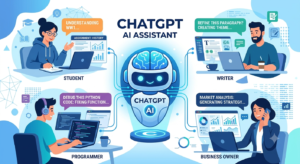
What Can ChatGPT Do?
One of the biggest reasons behind ChatGPT’s popularity is its versatility.
It can help with many personal, educational, and professional tasks.
Here are some common uses.
1. Answer Questions
ChatGPT can explain topics from many different subjects.
Examples include:
- Science
- Technology
- History
- Geography
- Business
- Health (general information)
- Marketing
- Programming
Instead of reading multiple articles, users often start with ChatGPT to understand a topic quickly.
2. Write Content
Content creators use ChatGPT to generate:
- Blog posts
- Article outlines
- Product descriptions
- Social media captions
- Email drafts
- Video scripts
- Business ideas
It saves time during the writing process and helps overcome writer’s block.
3. Help Students Learn
Students use ChatGPT to:
- Understand difficult concepts
- Summarize chapters
- Practice grammar
- Learn new vocabulary
- Solve practice questions
- Prepare for exams
It acts as a study assistant rather than simply providing answers.
4. Assist Programmers
Developers use ChatGPT to:
- Explain programming concepts
- Write sample code
- Find coding mistakes
- Suggest improvements
- Learn new programming languages
While AI can speed up coding, developers should always review and test the generated code.
5. Brainstorm Ideas
Sometimes the hardest part of a project is getting started.
ChatGPT can generate ideas for:
- Business names
- YouTube videos
- Blog topics
- Marketing campaigns
- Product launches
- School projects
This makes it a useful brainstorming partner.
Key Features of ChatGPT
ChatGPT offers several features that make it different from a traditional search engine.
Natural Conversations
ChatGPT communicates in a friendly, conversational style.
You can ask follow-up questions without starting over.
For example:
“What is SEO?”
After receiving the answer, you can ask:
“Can you explain it with an example?”
The conversation continues naturally.
Fast Responses
Most answers are generated within seconds.
This helps users complete tasks much faster than searching multiple websites.
Multiple Writing Styles
ChatGPT can write in different tones.
Examples include:
- Professional
- Friendly
- Formal
- Casual
- Beginner-friendly
- Creative
This flexibility makes it useful for different audiences.
Supports Many Topics
From cooking recipes to computer programming, ChatGPT can assist with a wide range of subjects.
However, users should verify important information, especially in areas like medicine, law, or finance.
Easy to Use
One of the best things about ChatGPT is its simple interface.
You only need to type your question in plain English.
There is no need to learn programming or complicated software.
Why Has ChatGPT Become So Popular?
ChatGPT became popular because it solves real problems.
Instead of spending hours searching for information, people can get quick, easy-to-understand answers.
Some reasons for its popularity include:
- It saves time.
- It is easy to use.
- It supports many different tasks.
- It helps students learn.
- It improves productivity.
- It assists businesses with writing and customer support.
- It encourages creativity and idea generation.
Whether you are a student, freelancer, teacher, marketer, or business owner, ChatGPT can help you work more efficiently.
Benefits of ChatGPT
ChatGPT has become one of the most popular AI tools because it helps people complete many tasks quickly and easily. Whether you are a student, teacher, freelancer, or business owner, ChatGPT can improve your daily work.
Here are some of its biggest benefits.
1. Saves Time
One of the biggest advantages of ChatGPT is that it saves time.
Instead of spending hours searching through different websites, you can ask one question and receive a clear explanation within seconds.
For example, if you need a summary of a long article, ChatGPT can create one quickly.
2. Improves Productivity
Many professionals use ChatGPT to complete routine tasks faster.
It can help with:
- Writing emails
- Creating reports
- Brainstorming ideas
- Organizing information
- Drafting presentations
This allows people to focus on more important work.
3. Supports Learning
Students use ChatGPT as a study assistant.
It can explain difficult topics in simple English, create practice questions, summarize lessons, and provide examples that are easy to understand.
Instead of memorizing information, students can use ChatGPT to understand concepts better.
4. Helps Writers
Content creators often face writer’s block.
ChatGPT helps generate ideas for:
- Blog posts
- YouTube videos
- Social media captions
- Product descriptions
- Newsletters
It also helps improve grammar and sentence structure.
5. Available Anytime
Unlike a human tutor or customer support agent, ChatGPT is available 24 hours a day.
You can use it whenever you need help, whether it is early in the morning or late at night.
Limitations of ChatGPT
Although ChatGPT is a powerful AI assistant, it is not perfect.
Understanding its limitations helps users avoid common mistakes.
It Can Make Mistakes
Sometimes ChatGPT gives incorrect or incomplete information.
This can happen because AI predicts responses based on patterns rather than true understanding.
Always verify important information before using it for school, business, healthcare, or legal purposes.
It Does Not Think Like Humans
ChatGPT does not have emotions, personal experiences, or common sense.
It generates responses based on language patterns instead of human thinking.
It Depends on Your Prompt
The quality of the answer depends on the quality of your question.
A clear prompt usually produces a better response.
For example:
Weak Prompt
Tell me about marketing.
Better Prompt
Explain digital marketing for beginners with five practical examples.
The second prompt gives ChatGPT enough information to provide a more useful answer.
It Should Not Replace Human Judgment
ChatGPT is a helpful assistant, but people should make the final decisions.
Professionals such as doctors, lawyers, teachers, and financial advisors should always review AI-generated content before using it.
ChatGPT Free vs Paid
Both the free and paid versions are useful, but they offer different experiences.
| Feature | Free Version | Paid Version |
|---|---|---|
| Basic AI assistance | Yes | Yes |
| Faster responses | Limited | Yes |
| Access during busy times | Limited | Better |
| New features | Sometimes later | Usually earlier |
| More advanced capabilities | Limited | Available |
The free version is enough for many everyday tasks, while paid plans are better for heavy users and professionals.
Real-Life Uses of ChatGPT
ChatGPT is used in many different situations.
Students
Students use it to:
- Understand difficult topics
- Practice English
- Summarize notes
- Prepare for exams
Freelancers
Freelancers use ChatGPT for:
- Writing proposals
- Creating content
- Research
- Client communication
Business Owners
Businesses use ChatGPT to:
- Write marketing content
- Answer customer questions
- Generate product descriptions
- Create business plans
Teachers
Teachers use ChatGPT to:
- Prepare lesson plans
- Create quizzes
- Explain concepts
- Generate classroom activities
Developers
Programmers use ChatGPT to:
- Learn programming languages
- Debug code
- Understand technical concepts
- Write sample scripts
Tips for Getting Better Answers
To get the best results from ChatGPT, follow these simple tips.
Be Specific
Instead of asking:
Write an article.
Ask:
Write a 1,500-word beginner-friendly article about AI tools using simple English.
Give Context
The more details you provide, the better the answer.
For example, mention your audience, writing style, or purpose.
Ask Follow-Up Questions
If the first answer is not exactly what you need, continue the conversation.
Examples:
- Explain it more simply.
- Give another example.
- Make it shorter.
- Add bullet points.
Review the Response
Always read the output carefully.
Correct any mistakes and add your own knowledge when necessary.
Best Practices for Using ChatGPT
- Use ChatGPT to assist your work, not replace your thinking.
- Verify facts from trusted sources.
- Avoid sharing sensitive personal information.
- Write clear prompts.
- Keep learning new AI features.
- Edit AI-generated content before publishing.
These habits will help you use ChatGPT more effectively.

Frequently Asked Questions
Is ChatGPT free?
Yes. A free version is available, while paid plans provide additional features and improved performance.
Can ChatGPT write articles?
Yes. It can help create articles, blog posts, reports, emails, and many other types of content.
Is ChatGPT safe?
Generally, yes, when used responsibly. Avoid entering confidential or sensitive personal information.
Can ChatGPT replace Google Search?
Not completely. ChatGPT is excellent for explanations and writing, while search engines remain important for finding the latest information and official sources.
Who should use ChatGPT?
Students, teachers, writers, marketers, programmers, business owners, researchers, and anyone looking to improve productivity.
Final Thoughts
ChatGPT has changed the way people learn, work, and communicate. It is more than just a chatbot—it is a powerful AI assistant that helps users write, research, solve problems, and generate ideas in a matter of seconds.
If you are new to artificial intelligence, ChatGPT is one of the easiest tools to start with. By asking clear questions and reviewing the answers carefully, you can save time, improve productivity, and learn new skills every day.
As AI continues to evolve, tools like ChatGPT will become even more useful. The best approach is to use them responsibly, combine them with your own knowledge, and keep exploring new ways to work smarter.